
What end of support for Windows XP means for you
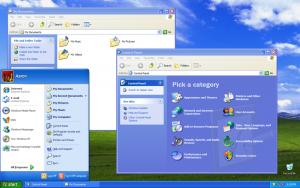
Windows XP has been a trusty Operating System for many for the past 12 years.
On 8 April 2014, Microsoft will cease to provide support for Windows XP. This means that from this date, Microsoft will no longer be providing support or updates for Windows XP. Businesses running Windows XP should be well advanced on their plans to upgrade, however many may not have and may not fully understand what end of support means.
Why is Microsoft doing this?
Windows XP was released in October 2001. Microsoft has provided support for the Operating System for the past 12 years and through the release of three major editions of Windows. It’s not something that makes sense for Microsoft to support forever. The landscape was different back then with less of an emphasis on security than that in Windows 7 or 8.
What does this mean?
That from 8 April Microsoft will no longer update Windows XP. This means that issues with the Operating System will not be fixed. Any security holes which exist in the system on that date will not fixed, leaving computers running the Operating System more vulnerable to malware and hackers.
It also means that software companies will stop supporting Windows XP in their software, meaning if you wish to upgrade to a later version it will also require Windows to be updated to something more modern. The same will also occur for hardware – vendors will stop writing the drivers that allow it to run on XP, meaning if you buy a new printer it may not be able to run on XP.
Won’t security software protect me?
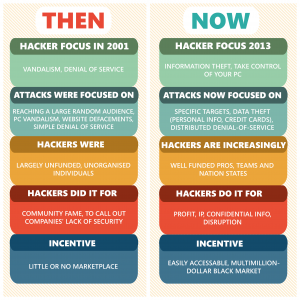 Not fully. Most malware and hackers target holes in the Operating System. With the Operating System itself insecure, security software may be able to be bypassed by the latest threats. Think of it like leaving your door open while all your windows are keylocked – you are leaving a gaping hole in your security.
What if I need to reinstall Windows?
You will still be able to activate Windows XP and download updates for it which were created up until 8 April 2014.
What should I do?
There are essentially two options – update your computers to a newer version of Windows or purchase new computers with a later version already installed.
Leave a Reply
Want to join the discussion?Feel free to contribute!