
Office 2007 End of Support is coming
Like all Microsoft products, Office has a lifecycle where after a certain period Microsoft will stop supporting it. For Office 2007, support will end 10 October 2017. From this date, Microsoft will no longer provide technical support, big fixes or security updates for the software. Microsoft recommends updating as soon as possible.
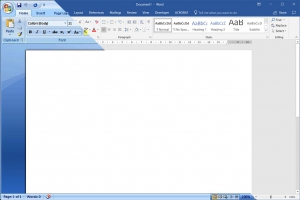
Office 2016 doesn’t make major interface changes in the way 2007 did when it was released.
The main concern with Office 2007 after 10 October is the lack of security updates, meaning that any vulnerabilities which could be used by an attacker to harm your computer and data will not be fixed. The other issue will affect users using Office 365’s email service or Exchange Online as they transition to a new protocol on 31 October which won’t be supported by Office 2007. Just as with end of support for Windows XP the software will continue to work, it just won’t receive updates or support from Microsoft.
To stay current, customers have two options – upgrading to Office 2016 or subscribing to Office 365.
The Office 2016 path
Many customers who have heard of Office 2007’s retirement have asked what the major differences between Office 2007 and 2016 are. The ones we find most useful are:
- Integration with OneDrive
- PDF support is built in
- Skype integration allowing you to chat, share screens and have conversations with co-workers right from within Office.
- OneNote’s interface becomes consistent with the rest of the office suite
- It works better on touchscreens (and has a toggle button at the top
- Excel can run in multiple windows (rather than having to open separate instances of the application)
- Smart Lookup allows you to select a word or sentence and get definitions, a location (for an address), photos and more.
Customers would typically buy Office 2016 if they would prefer to pay for their software upfront and aren’t worried about having the latest version. Customers may opt for Office 2016 if they would prefer to have complete control over updates to major new releases. Unless you are a volume licencing customer, Office 2016 is licenced for use on one computer without upgrade to future versions of Office included.
The Office 365 Path
Office 365 is similar to Windows 10 in that it is a constantly evolving product. With Office 365 you subscribe to the software and receive all major new releases. Your software can only be used while your subscription is current but it is licenced on a per user basis rather than per machine. The number of devices it can be installed on depends upon the plan, but most allow you to install it on 5 computers, 5 tablets and 5 smartphones.
Different subscription plans give different features, with some plans offering free Skype minutes (for home use), Skype for Business, Sharepoint online, 1TB of OneDrive storage, private social networking with Yammer and business grade email.
To discuss the best upgrade option for you, please contact us.



Leave a Reply
Want to join the discussion?Feel free to contribute!